
Filters & signal processors · User manual
GP-HP1002 user manual
High-Pass Rumble and Tone-Arm Notch Filter
Thank you for choosing the GP-HP1002 rumble and tonearm-resonance filter. We appreciate your confidence in us for such an important purchase, and we built it to give you command over the sound your system produces.
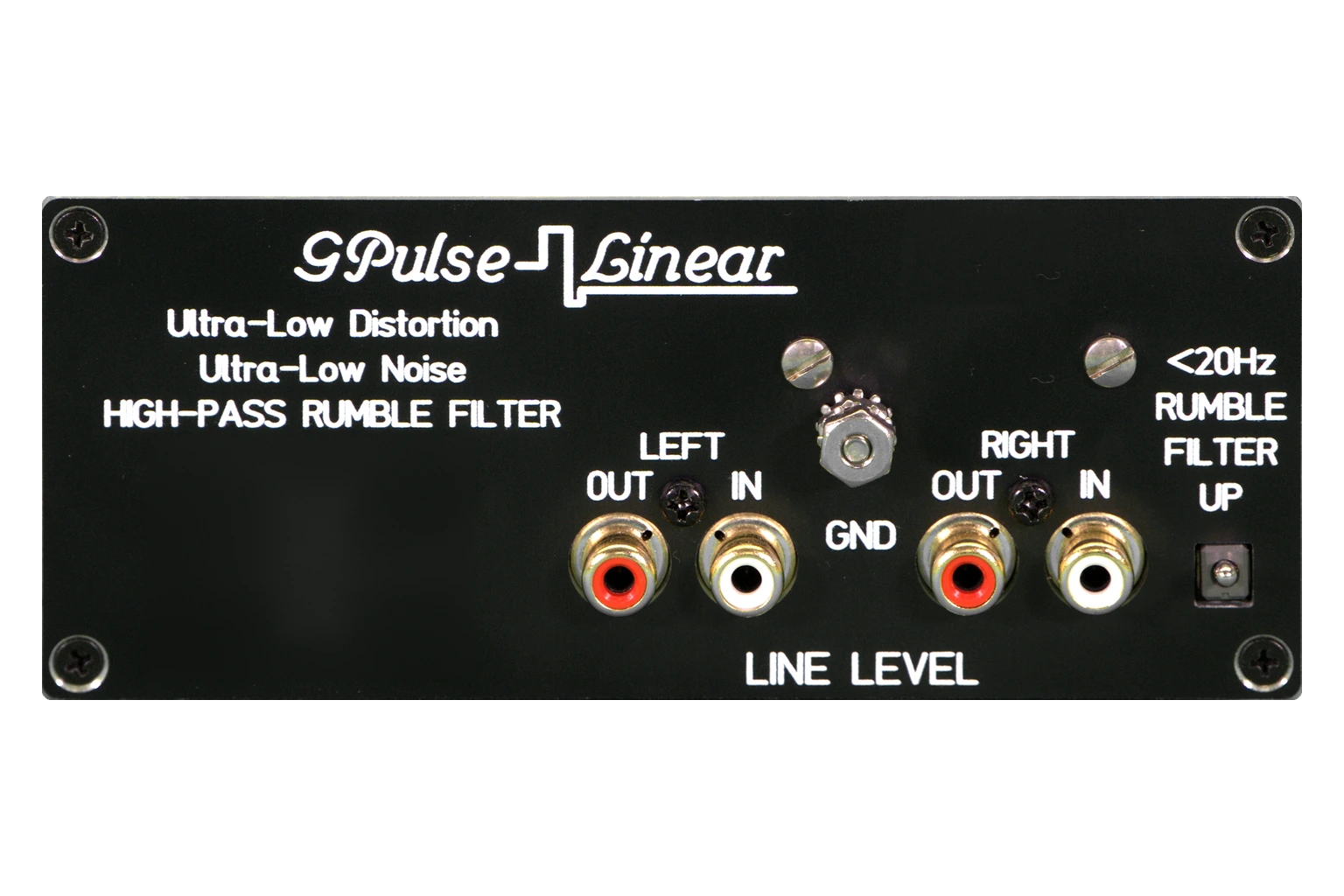
Specifications
As engraved on the unit.
- Pass-through
- 20 Hz – over 30 kHz
- Filter at 5 Hz
- −38 dB
- Filter at 6.5 Hz
- −28 dB
- THD
- Below 0.1 %
- Input impedance
- 47 kΩ, RF filtered
- Output impedance
- 100 Ω, RCA
- Hum and noise
- Unmeasurable
- Maximum output
- 10 V RMS
- Power
- 100–240 V AC
- Dimensions
- 5 × 2 × 1.5 in
- Weight
- 1 lb
Filter figures are referenced to 0 dB at 20 Hz. Input 47 kΩ and 100 pF, RF filtered above 1 MHz. Maximum output into a 2 kΩ load; distortion measured with an HP 334A analyzer.
Before you start
Connect first.
Power last.
Three things, in this order, every time you change your system.
Read before switching on
- Make every connection before you switch on this unit and the rest of your system.
- Never change connections while the system is on. Doing so can damage your equipment.
- Always start with the main system volume turned fully counterclockwise, to off. Mishaps happen, so take care.
Connections
Where it goes in your system.

In line
Left IN to left OUT, and right IN to right OUT, both DC-coupled straight through.
Where it goes
After your preamplifier's tone controls and volume, before the power amplifier, so rumble and tonearm resonance are removed before they reach it.
Set-up
Set the controls.
Before you listen, set everything like this.
-
Power
Switch it up. The green LED lights.
Set to: on
-
Filter
Up to filter; down to bypass.
Set to: up
Then
- Switch on the main system and all amplifiers, with every volume control at minimum.
- Listen to your normal stereo first and make sure everything sounds right.
- If the filter sits in your preamplifier's external loop, set the preamplifier's loop control to external.
Operation
What the filter does
The GP-HP1002 is a very steep notch filter that removes, at line level, the low frequencies your speakers cannot reproduce but still respond to. Turntable rumble and tonearm resonance drive woofers into large, random movements.
That subsonic energy can start acoustic feedback, with huge speaker excursions and possible damage to your system. With very high-power systems, some listeners have even experienced window vibration and damage.
Cutting the gain at those frequencies greatly reduces woofer flapping without changing your system's normal 20 Hz to 20 kHz range or its sound quality, and substantially reduces the risk of acoustic feedback while you play records.
Isolating the turntable with low-frequency absorbing materials helps, but the woofers still move, wasting amplifier power on unwanted subsonic signal, adding distortion and heat. Think of this filter as subsonic and DC protection at line level.
Take careBefore you switch the filter, turn the volume fully counterclockwise. Then raise it while watching the woofer. Large cone movement with no music, or acoustic feedback, is exactly what the filter is there to stop.
MaintenanceCare
Cleaning. Use a damp cloth only, never glass cleaners or alcohol-based products.
Surge protection. Put a surge protector on the power line, against a nearby lightning strike or a line-level overload.
Questions about your GP-HP1002?
Talk it through with us.
Tell us what is in your system and what you want it to do. We answer set-up questions before and after you buy.